Local-First Task Tracker | Keep Your Notes and Kanban Off the Cloud
What local-first actually means, and four apps that keep your notes, boards and reminders on your own machine instead of someone's server.
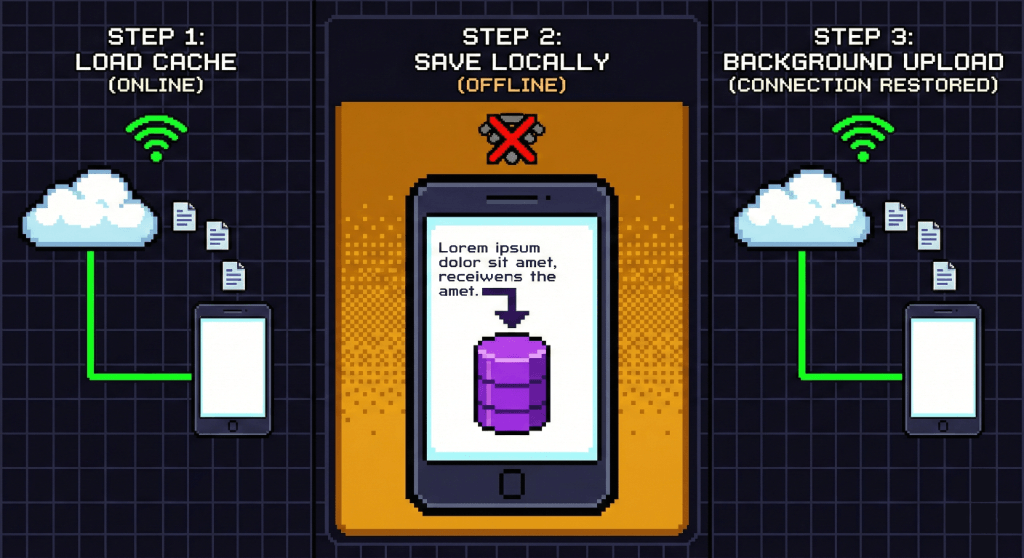
You jot down an idea, move a launch card on a kanban board, set a reminder, and all of it flies off to someone else's server before you have finished the sentence. In a year when models are trained on whatever they can reach, that is the part worth thinking about. Local-first architecture is the answer people are settling on, and it is no longer a compromise: the apps are good now.
What local-first actually means
Local-first is simple to state. The app keeps your notes, cards and settings on the device in front of you. That copy is the real one, not a cache of something in a data centre. Syncing exists, but as an option, and when it is there it is usually protected by end-to-end encryption: the key stays with you, and the people who wrote the app cannot read what you keep in it.
The opposite, cloud-first, is what most task managers are. The server holds the truth, your device holds a window onto it. Running that server yourself is a third option, and a heavier one than it looks: self-hosted or local-first is about which of the two you actually need.
What you give up to a cloud task tracker
Your text can become training data. Personal notes, project drafts and to-do lists are exactly the kind of natural writing that models want, and the permission is often already in the terms you accepted.
One breach reaches everyone. A central database is a single target. When it goes, private boards go public, and there is nothing you could have done from your side.
No network, no notes. A plane, a basement, a bad hotel connection, and the list you planned your day around is unavailable.
What you get back
Privacy you can verify. Nobody reads the text on your cards, not marketers, not a model, not the developer.
Speed you can feel. A new note opens and a card moves the instant you ask. There is no round trip to wait for, and the difference over a working day is larger than it sounds.
It works anywhere. Write on a train, plan in the mountains, get a local reminder with the aeroplane mode on.
Four local-first apps worth knowing in 2026
Obsidian
A knowledge base built on plain Markdown files in a folder you own.
Good: endless customisation. With the Kanban, Tasks and Reminder plugins it becomes a private task tracker as well as a library.
Less good: it takes an evening to set up, and out of the box it is a writing tool rather than a task tool. We have written about what moving from Obsidian looks like if that is where you are coming from.
Logseq
A local-first outliner built around daily notes and a graph.
Good: quick capture and journalling. Tasks live inside the text as TODO and DONE markers, and a query gathers them onto a board.
Less good: everything is an outline. If you think in documents rather than bullets, it fights you.
Anytype
The one people call a local Notion. Data syncs device to device, with no central server in the middle.
Good: a handsome interface, with databases and kanban boards built in, and objects that link to each other.
Less good: the model takes learning. Everything is an object with a type, and that vocabulary comes before your first note.
TaskNote
Our own, so read this part knowing that. Notes in Markdown, kanban boards and reminders in one window, built for getting through today rather than for cataloguing everything.
Good: the Windows app keeps notes on your own disk and needs no account at all, so there is nothing to sign up for and nothing to sync. Kanban and reminders are built in rather than assembled from plugins, and a global hotkey opens a new note from anywhere in the system. The web app is the encrypted half: notes there are encrypted on your device before they reach us, and the key stays with you.
Less good: it is not the tool for a deep Zettelkasten. The weight is on tasks and quick notes, and a link graph is not the point.
Which one fits
If you want a library that will outlive the app, take Obsidian. If you think in bullets and live in the daily note, Logseq. If you want databases and a modern interface without a server, Anytype. If you want to write something down and turn it into a card on a board without a setup weekend, try ours: a line of a note becomes a card and the board is already there.
Moving in is the part people dread, and it is the smallest part. Exports from Evernote, Google Keep, Notion, Simplenote and a folder of Markdown all come in through import, titles, dates and checklists included.
The hard part: two machines
Everything above is easy while you work on one computer. The moment there are two, local-first has to answer the question the cloud answers for free, and the answers differ in ways worth knowing before you choose.
Sync through a folder you already have. Point the app at a synced folder and let an existing service move the files. It works, it needs nothing new from anybody, and it fails in one particular way: two machines editing the same note while one is offline produce a conflict, and what you get is two files with "conflicted copy" in the name. For notes, which are usually edited in one place at a time, this is rare enough to live with.
Sync built by the app, encrypted end to end. The app runs a service, but the content is encrypted on your device before it leaves, so the company moves boxes it cannot open. This is what end-to-end encryption buys you: convenience close to the cloud, with the company outside the trust boundary. The cost is that losing the key means losing the notes, and any honest implementation will tell you so loudly.
Device to device, with no server. Machines talk directly when they are on the same network or through a relay that holds nothing. Elegant, and the weakness is obvious: the two devices have to be awake at the same time, which a phone in a pocket rarely is.
No sync at all. One machine, one file, a backup. Simpler than all of the above and the right answer more often than people admit, especially for a work computer that never moves.
Our own split, since this piece includes us: the Windows app does the last of these, and the web app does the second. They are deliberately separate products rather than two halves of one, which is a real limitation and the reason we say it here rather than in small print.
What to check before you trust one
Four questions, in the order they matter. They take ten minutes and they sort the real local-first tools from the ones using the phrase in marketing.
- Turn the network off and open it cold. Not a reload of a window that is already open. If it asks you to sign in, or shows a spinner where your notes should be, the local copy is not the real one.
- Find the files. The app should be able to tell you where your data is. Open that folder: one database file or a tree of notes are both fine answers, "we cannot show you" is not.
- Export everything and read it. A local file you cannot get out of is lock-in with better latency. Details of that test are in leaving a notes app.
- Ask what the sync actually sends. If there is sync, is the content encrypted before it leaves, and who holds the key. "We encrypt in transit and at rest" means the company can still read it.
The short version
You no longer have to trade privacy for a usable interface. A local-first app gives you a kanban board that answers instantly, notes in a format you can read in thirty years, and reminders that work with the internet off, while your ideas stay where you put them.
Questions
- What does local-first actually mean
- The copy on the device in front of you is the real one, not a cache of something in a data centre. Syncing may exist, but the app opens and works with the network off, and nothing has to reach a server before you can write.
- Is local-first the same as offline mode
- No. Offline mode is a cloud app coping with a lost connection, usually by caching part of your data and syncing later. Local-first has no other copy to fall back to: the file on your disk is the original.
- Does local-first mean my notes are encrypted
- Not by itself. Local-first says where the data lives, not how it is protected. Some local apps keep a plain file on disk, which is fine against a company reading it and useless against somebody with access to your machine. Check the two questions separately.
- How do I back up a local-first app
- Copy its folder or its database file the way you back up anything else: a drive, a synced folder, a repository. That is the advantage. There is no account to lose and nothing to request from support.
- What happens if the company shuts down
- The app keeps opening the file you already have, which is the main reason to prefer this shape. Check before you commit that there is an export to plain text, so you can leave for another tool rather than staying on a program nobody maintains.
privacylocal-firstkanban